


Amazon Account Health Rating Explained: How to Improve It
Amazon Seller does not only involve listing products and making sales. There are a lot of other things such as abiding by the policies set out by Amazon, customer service, and keeping one’s account compliant with Amazon policies. This is where Amazon Account Health Rating comes into play.
Poor account health rating may result in a loss of sales privileges and even suspension of the account. Knowing about the system and factors influencing it will help you stay clear of any possible violations and keep your seller account healthy. This guide will explain you everything about the account health rating and teach you how to improve it.
What Is Amazon Account Health Rating (AHR)?
Amazon Seller Account Health Rating is an indicator of how well the sellers comply with the rules of Amazon. This helps the sellers evaluate the possibility of having their account closed on account of non-compliance.
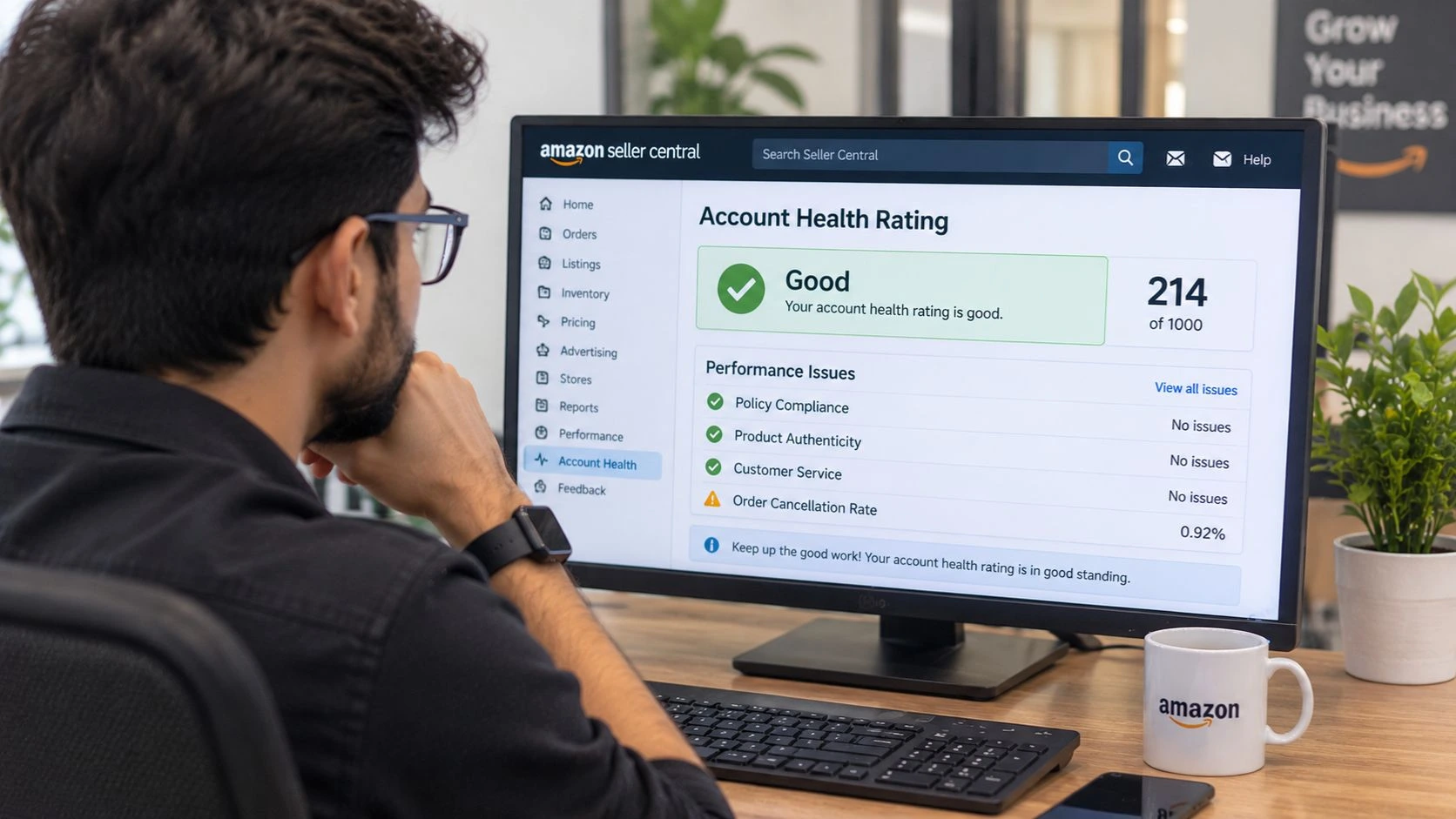
The scale starts at 0 and goes all the way up to 1,000 and can be accessed from the Account Health section on Amazon Seller Central. It varies depending on policy violations and the seller’s positive performance.
Amazon categorizes Account Health Ratings into three levels:
- Healthy (200-1,000): The policy of your account adheres to the criteria that have been set out by AHR.
- At Risk (100-199): Your account is at higher risk of being deactivated.
- Unhealthy (0-99): Your account is eligible to be deactivated or has already been deactivated.
A score of 200 or above is very significant. But just because a person has a healthy score doesn’t mean that he/she is immune from having his/her account suspended.
What Factors Affect Amazon Account Health Rating?
Several factors can influence your Amazon seller account health. Understanding them helps you identify potential problems before they affect your selling privileges.
1. Policy Violations
Violation of Amazon's selling policies may lead to a decrease in your account health rating. Some examples include violations related to restricted products, intellectual property, counterfeit products, and listing policies.
The consequences depend on the severity level of the violation. Amazon has different levels of violation from critical to low.
For a better understanding of common seller account problems, read our guide on Amazon Seller Central issues and their practical fixes.
2. Product Listing Compliance
Products have to be listed according to the content and category guidelines of Amazon. Wrong description, misuse of the content guidelines, prohibited claims, keyword restrictions, and misleading description can cause compliance issues.
Product titles, bullet points, description, pictures, and category requirements need to be checked for avoiding listing violations.
3. Customer Experience and Order Performance
There is also the issue of customer experience as a crucial element of keeping a healthy seller account. If you do not outsource order fulfillment to any third-party logistics, then customer service performance factors will also be taken into consideration in terms of AHR computation.
Late deliveries, poor communication, and unresolved customer concerns should be addressed quickly to maintain reliable service. Sellers should also understand Amazon's review request policies and advertising guidelines to avoid activities that could create compliance concerns.
How to Improve Amazon Account Health Rating
Maintaining a good health rating on your Amazon Account needs to be done regularly. There are several things that you can do to ensure your seller account is healthy.
1. Check Your Account Health Dashboard Regularly
The Account Health dashboard gives you all the information on policy violation and your AHR score. Go through this dashboard to find out any new warning or problems with your account.
Do not wait until your rating enters the At Risk category. Addressing problems early can prevent further complications. Alongside account monitoring, understanding Amazon Search Query Performance can help sellers evaluate how customers discover and interact with their products.
2. Resolve Policy Violations Quickly
Open the Violation that impacts your Account Health Rating in Seller Central, find out why this problem occurred, and follow the instructions from Amazon to solve this problem.
If you think this Violation is wrong, submit an appeal, but provide proper documentation for that. Do not file numerous appeals without solving the underlying problem.
3. Follow Amazon's Product Listing Policies
Please review your listings for accuracy and compliance. Please make sure you don’t have any false claims on the product, inaccurate descriptions, keywords that violate the policies, or the use of copyrighted images and trademarks.
Maintaining listings will help avoid policy issues and provide better experience to customers.
4. Maintain Good Order Fulfillment Practices
Accurate order fulfillment leads to building the customer’s trust and ensures good performance in selling. Fulfill orders on time as per the given handling time, provide valid tracking information, and notify delivery if necessary.
FBM sellers need to track their shipping performance and customer service statistics, while FBA sellers should track inventory and fulfillment notifications.
5. Respond to Customer Messages Promptly
Customer communication is an essential component that helps maintain good experiences at the point of sale. Make sure you answer the buyers' queries within the stipulated time frame by Amazon and also offer them useful solutions to their problems. Never ignore their complaints or leave their queries unsolved.
6. Monitor Intellectual Property Complaints
A complaint involving intellectual property can impact your account status and result in the restriction of listings. It is advisable to first obtain permission or any other relevant authority before using any brand name, logo, picture or copyrighted content.
In case you get a notice involving an intellectual property dispute, it is important to go through the notification and attach supporting documents in the case of an appeal.
How to Check Amazon Account Health Rating in Seller Central
Checking your AHR score is simple. Follow these steps:
- Log in to your Amazon Seller Central account.
- Navigate to the Performance section.
- Select Account Health.
- Review your current Account Health Rating.
- Check the policy compliance section for unresolved violations.
- Follow the recommended actions to address outstanding issues.
Make it a regular part of your account management routine to monitor your rating and resolve problems before they become serious.
Common Mistakes Amazon Sellers Should Avoid
Many sellers experience account health problems because they overlook small compliance issues. Avoid these common mistakes:
- Disregarding policy violations sent by Amazon.
- Using copyrighted product photos without authorization.
- Entering wrong information about your product.
- Disregarding claims of intellectual property infringement.
- Failing to reply promptly to customers.
- Thinking that deletion of your listing means no policy violation.
Bear in mind that simply removing the listing does not mean you have resolved the issue. The right course is to deal with the policy breach within Seller Central.
Final Thoughts
An Amazon account is supposed to be maintained in good health at all times. To do this, you must be up-to-date with the policies of the marketplace, listings, customer service, and order fulfillment. This is where your Amazon Account Health Rating comes in handy.
Through the use of the Account Health dashboard, taking care of any policy violations, and abiding by Amazon's selling rules and regulations, you can avoid the restriction of your accounts.
Along with account health management, sellers should focus on a profitable Amazon PPC strategy and understand their Amazon profit margins to support long-term marketplace growth.